Time tracking and invoicing for small agencies
Track the hours, see the week for the whole team, and turn the time into an invoice — with the breakdown to back it up and a link to pay it. Built by an agency that got tired of doing that in three tools.
Moving from Clockify? Bring your whole history with you — clients, projects, people and every entry — in one upload.
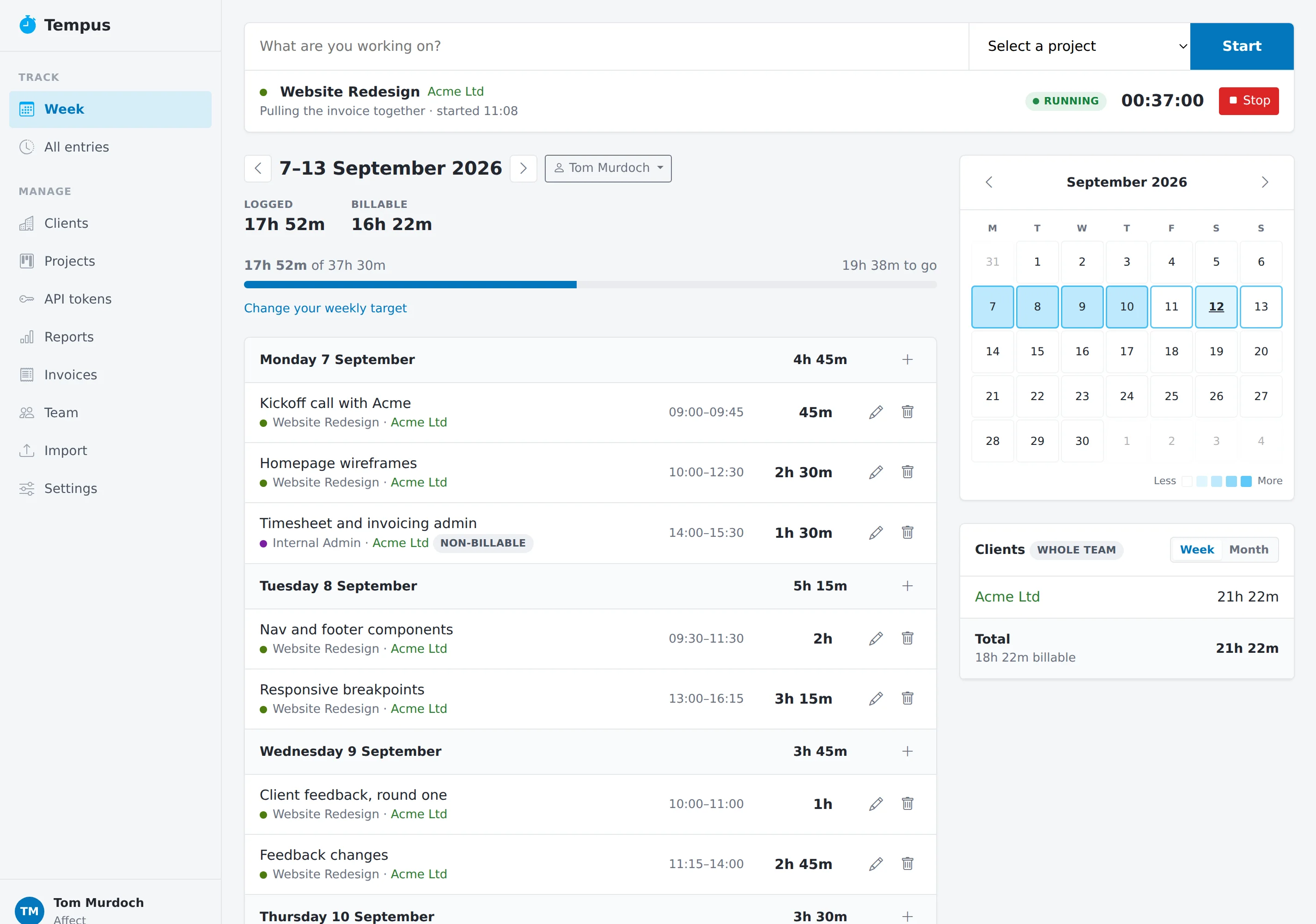
A timer that lives where you work, and a week you can read
- Start, stop, done. One box at the top of every page. Several timers can run at once, because two things genuinely happening in parallel are two billable hours.
- The week, by day. Every entry, the day's total, and how far you are from your weekly target. Log a day you forgot without leaving it.
- Whose week? Owners and admins can look at anyone's week, and the clients panel shows where the whole team's time went.
- Clients, projects, tasks. Hourly rates and billable-or-not live on the project, so an entry inherits the right answer.
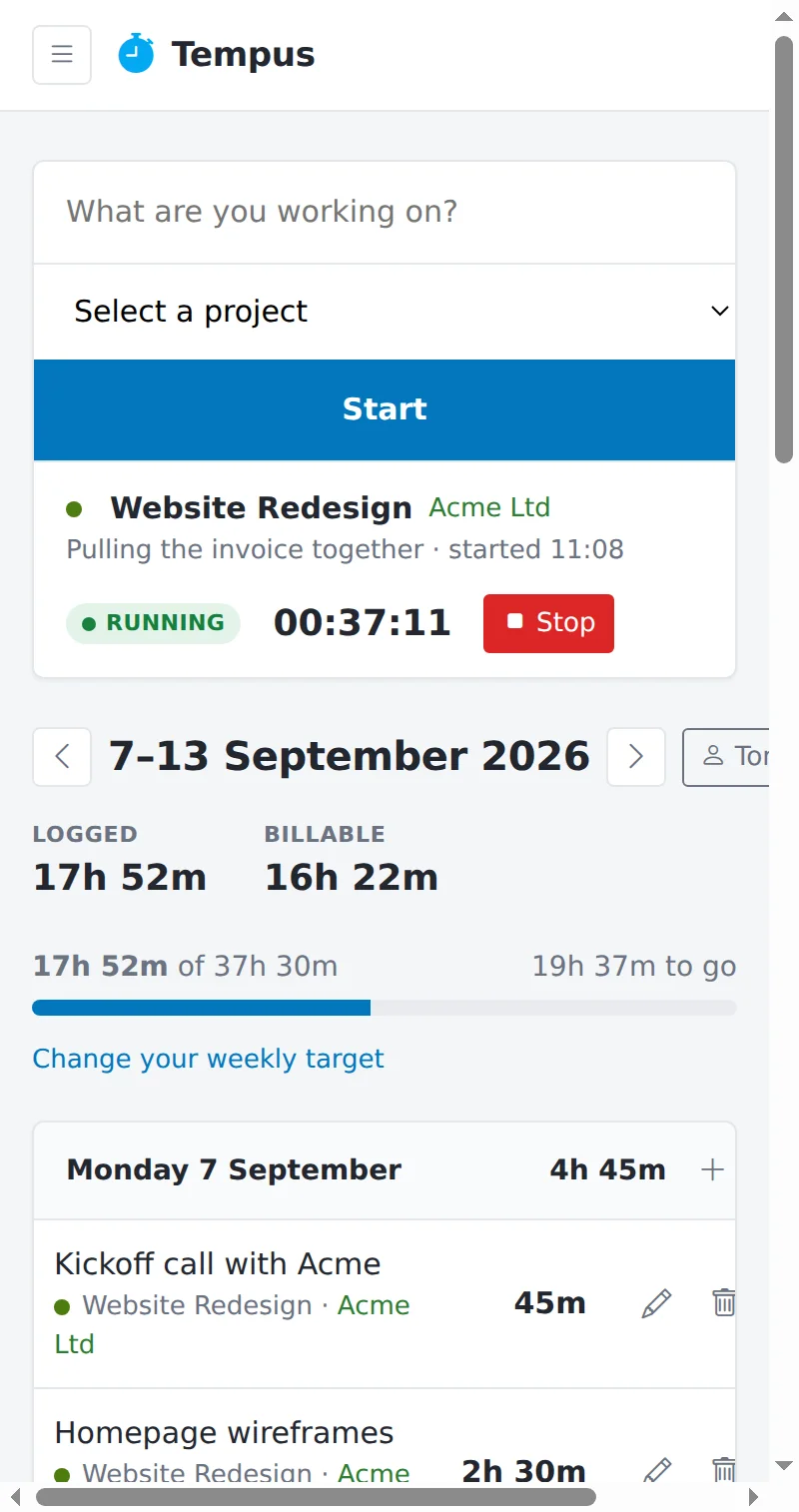
From hours to money without a spreadsheet in between
Pick a client and a date range and the invoice is built from the time — a line per project, the rate, VAT. Attach the receipts that back it up.
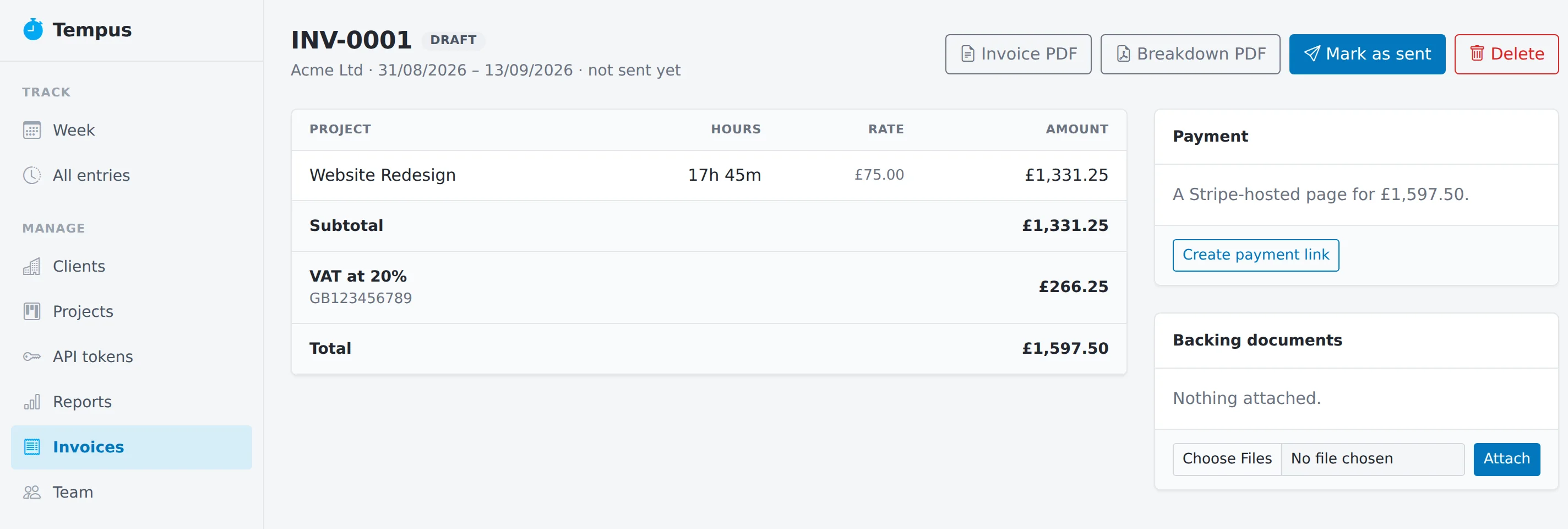
- Two PDFs. The invoice itself, and a breakdown of every hour behind it — the thing clients actually ask for.
- Paid by link. A Stripe-hosted payment page on every invoice. When it is paid, Tempus hears about it and marks it so.
- Overdue, chased. An invoice that goes past its date is nudged for you, on a schedule, until it is paid.
- Draft, sent, paid, overdue. Four statuses, and the list shows you where every invoice stands.
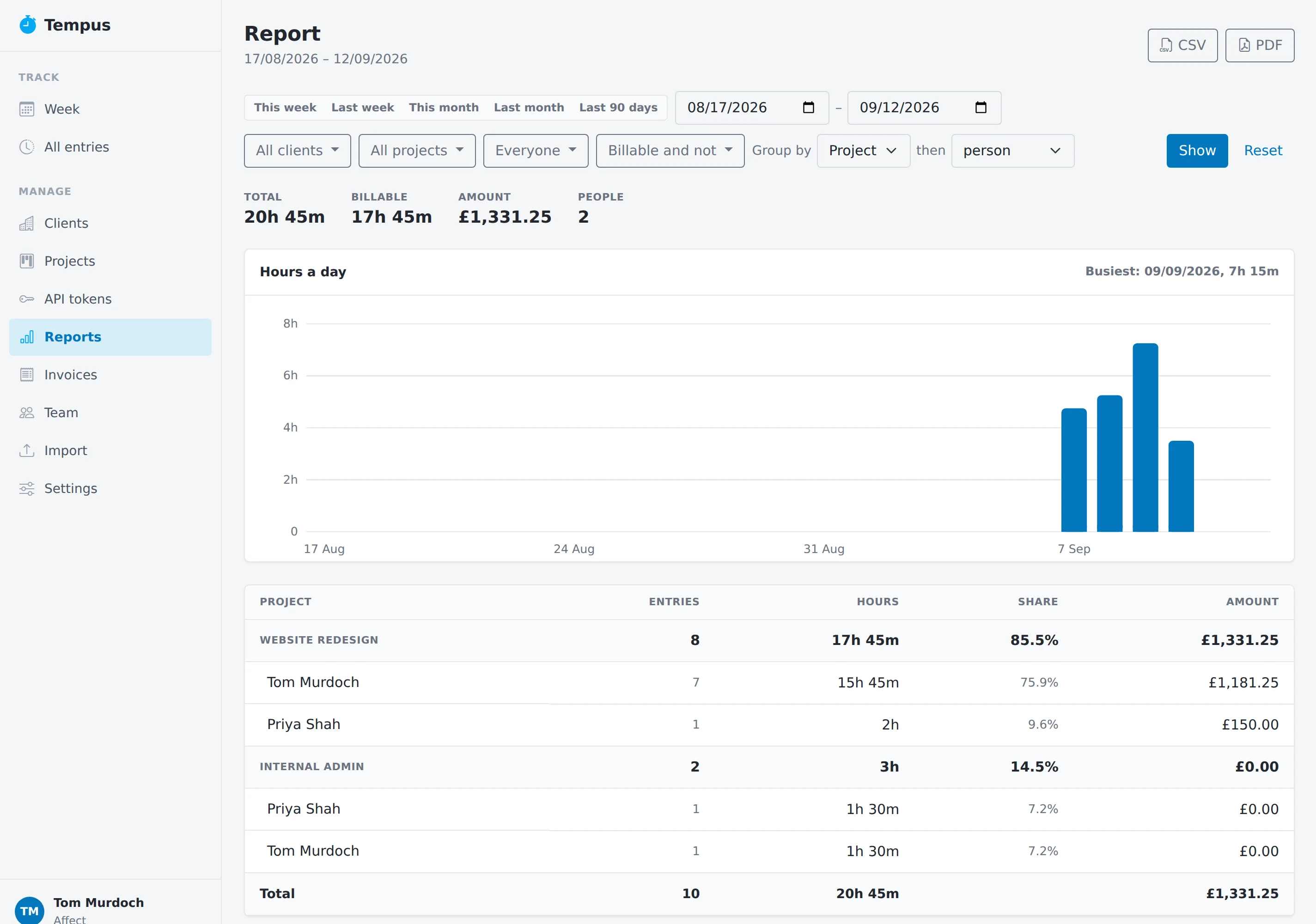
What the agency did, over any period
- Any range, any slice. By client, project or person, then by the next thing down. Billable and not, side by side.
- Hours a day, drawn. A chart that shows the shape of the month, and the busiest day named.
- Take it with you. CSV for the spreadsheet, PDF for the client.
The tools around it
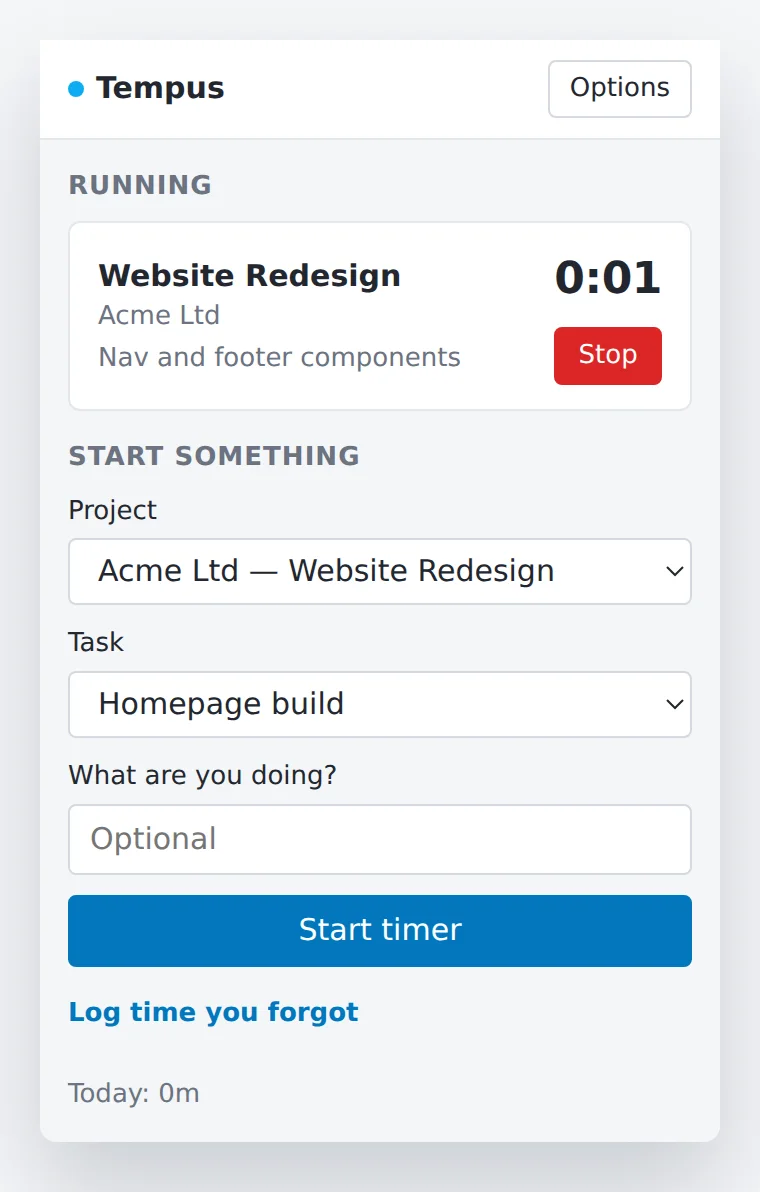
- A Chrome extension. Start and stop timers from any tab, log the time you forgot, and see the longest-running timer on the toolbar badge — so the one you left going is visible from anywhere.
- Import from Clockify. Export your data and upload it. Clients, projects, tasks, people and the full history of entries come across, and anything that cannot is listed rather than dropped.
- An API. Personal tokens, revocable in one click, for anything else you want to hook up.
- Built for the UK. Pounds and pence, dd/mm/yyyy, 24-hour times, Europe/London out of the box, VAT on the invoice.
- Sign-in that checks. A one-time code by email on every sign-in, and no third-party login to depend on.
Free on your own. A few pounds a head with a team.
Everything is in both. The only difference is how many people can log time.
- Solo Free One person. Timers, invoices, reports, the import, the extension — all of it, for as long as you like.
- Team £3.00 per person, per month As many people as you have. Billed by Stripe, prorated as people come and go, cancel whenever you like.
Made by an agency, for a handful of others
Tempus runs Affect every day. If you run a small agency and want the same thing, create an account and bring your team.